SetCPU
for Root Users
SetCPU
for Root Users allows you to manage the CPU frequency settings of
your Android device. It works with most commercial Android devices
that have root access enabled for applications. Combined with custom
profiles, SetCPU can help you manage your CPU settings to optimize
performance and battery life. On many phones, oftentimes with the
help of custom kernels, SetCPU can also manage overclocking on your
device. SetCPU is currently available on the Android Market.
SetCPU works on most rooted devices running Android 1.6 and above. If you have an HTC device, you may need to disable perflock (see 10) depending on your kernel.
Contents
1.
Benefits
2.
Main Tab and Basic Usage
3.
Profiles
4.
Advanced
5.
System Info
6.
About
7.
CPU Scaling Governors
8.
Custom Frequency Config
9. Task Managers
10. Disabling Perflock
11. Changelog
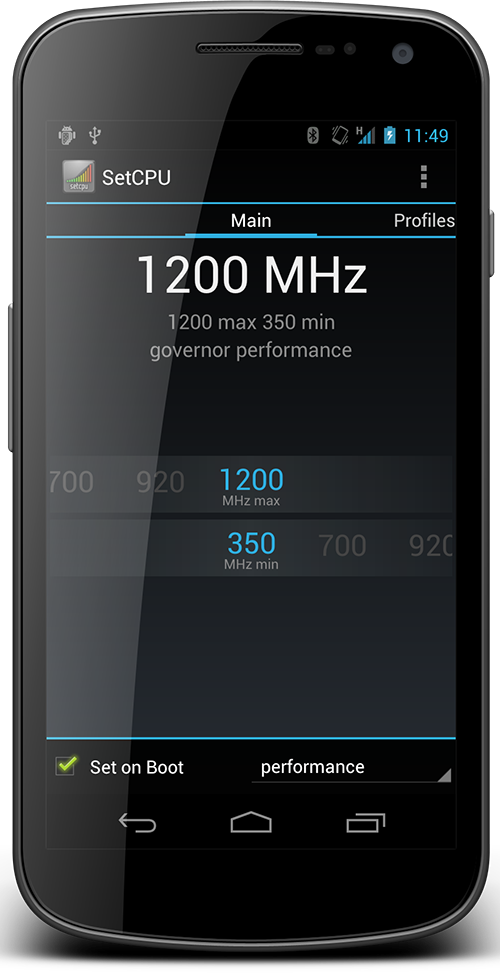
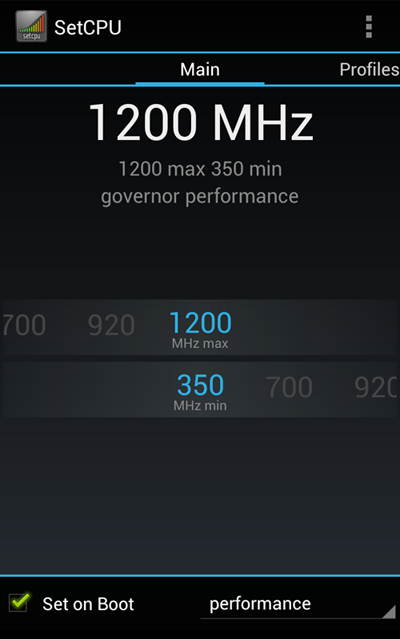
The Set on Boot checkbox determines whether SetCPU will apply these settings when the phone boots. Do not leave this checkbox checked when testing out potentially unstable overclocking. Be sure that your current settings are stable before checking this checkbox. In the rare event that your phone cannot boot because you left this checkbox checked at unstable frequencies, create a file called "setcpu_safemode" (with no extension) and put it in /data/local or /sdcard. If SetCPU detects this file, it will ignore all start up settings.
125000,250000,500000,550000,600000
To
configure SetCPU to read your custom frequencies, go back to the
device selection screen (in the Main tab, press Menu > Device
Selection), choose “show other frequencies” if necessary, and
choose the custom config option at the very bottom.
9. Task
Managers
SetCPU
does not normally run a background service unless profiles are enabled. Due to how multitasking works on Android, the Android system
will automatically free up SetCPU if memory is needed and SetCPU
isn't being used. You may see SetCPU in a task manager until this happens.
11.
Changelog (1.4.0 - 2.1.4)
1.4.0: Revamped the main interface quite a bit, and fixed a few minor
bugs.
1.4.0a: fixed a bug where 122MHz was being called 128MHz.
1.4.1: * Using Eclair API. Will work on QVGA devices (Tattoo) and WVGA
devices (Sholes)
* Major performance enhancements - setting frequencies should be much
faster in every situation (in the main application, profiles, upon
startup, etc.).
* Added a small home screen widget that shows the current maximum and
minimum frequencies. Clicking this widget launches SetCPU.
* Frequency lists for Snapdragon devices, Samsung Galaxy, Motorola
Cliq, and HTC Tattoo have been included, though support for these
devices is experimental. The device can be selected on the introduction
screen.
* Custom frequency lists are now supported. To enable custom
frequencies, place a file called setcpu.txt on /sdcard/ or /system/sd/,
sorting frequencies in kHz, separated by comma, from lowest to highest,
then select the corresponding option on the introduction screen.
* There is no longer a "set" button - changing the seekbar positions
will immediately set the frequency. As a result, all seekbars in the
application will now snap back if the user attempts to place the
maximum frequency below minimum.
* Instead of refusing to work at all, SetCPU will now operate in a
read-only mode if root access is not detected.
1.4.2: Instead of choosing between performance (always max) and
ondemand CPU governors, there is now a drop down list with all the
available governors on the device. Thanks morfic! Added CPU scaling
configurations for the OMAP3 processor of the Motorola
Sholes/Droid/Milestone. This is strictly in beta. Custom frequency list
now reads from /system/setcpu in addition to setcpu.txt on SD FAT or
EXT.
1.4.3: Includes compatibility fixes for HDPI devices and UI
enhancements. Frequency lists for the Samsung Moment (untested), the
T-Mobile Pulse, and the Acer Liquid have been included. The application
will no longer sometimes re-set CPU frequencies upon launch.
1.4.3a: Added more frequencies for the Nexus One.
1.4.3b: Fixed a widget issue on the Nexus One. Sorry for the rather
rapid succession of updates the past few days!
1.4.3c: Adds support for 600MHz kernel patches on the Motorola Droid.
On the Droid configuration. SetCPU will attempt to detect the existence
of 600MHz and adjust the frequency list accordingly.
1.4.4: Adds an "autodetect" option that works on newer kernels (at the
bottom of the device selection screen). This should enable the
supercharged speeds in some of tasmanian_droid's newer kernels. Fixes a
force close crash when selecting some frequency lists that were not
compatible with the device (thanks Julian).
1.4.5: - Streamlined/refactored profiles code.
- Added "battery temperature" profile. SetCPU is now able to set a
certain speed when the battery goes above a user-defined threshold.
This would optimally be set to throttle the CPU lower at a high
temperature. To ensure compatibility with your device, see if a valid
temperature is displayed in the "System Info" menu. This profile does
not take effect immediately and does not replace being cautious - it is
not based on CPU core temperature, and must wait for a battery state
change before reacting.
- Added an "About" button to the main screen with simple themes.
Default color scheme is now "Dark"
- Adjusted the widget to display four digit speeds properly (thanks
Berzerker).
- Various bugfixes and UI tweaks.
1.4.6: Fixed issues with the battery profile. Included a much better
icon thanks to Josh Deere (dphase).
1.5.0: * CPU governors can now be defined in profiles.
* Included a notifications service for profiles - turn this on using
the relevant checkbox in the profiles menu.
* Profiles now log which speed and governor is being set.
* Added "advanced" tweaking capability for conservative governor.
* The system info menu and profiles menu now show temperature in both
Celsius and Fahrenheit, and the widget also now displays battery
temperature in Celsius and Fahrenheit.
* Added a "long benchmark" option to the system info menu, which should
be more consistent than the "short benchmark."
* Also added a simple stress test to the system info panel to test the
stability of overclocks.
* Autodetect is now the default for devices that support it, and will
be the first option in the menu if available.
* Improved I/O performance.
* Various bugfixes, especially in profiles.
1.5.0a: * Charging profile now no longer takes effect when the phone is
at 100% battery and unplugged.
1.5.1: * Two more battery profiles added. Lower battery readings will
always take priority (eg. under 80% will always take priority over
under 100%).
* Governor will now refresh alongside the other readings. Added
governor reading under current frequency reading.
* Added an auto-refresh checkbox to the main screen. If checked, SetCPU
will periodically refresh the current frequency reading without the
need for pressing the refresh button. This checkbox applies to the
system info panel as well.
* Tweaked the widget, and attempted to fix the elusive bug where the
widget did not update correctly sometimes.
1.5.1a: * Fixed widget being cut off in landscape mode.
* Fixed Fahrenheit temperature reading in profiles.
1.5.2: * Added optional failsafe notification warning system that plays
a ringtone and flashes the LED red when the failsafe profile is active
(thanks WootRoot!).
* Added "copy to clipboard" function for the System Info menu (press
Menu).
* Added an optional "active" widget, which will refresh CPU speeds at
an interval like the main interface.
* Added support for the OMAP3 temperature sensor for the Droid. If
present, use of the OMAP3 temperature sensor can be enabled in the
failsafe profile.
* If available, the OMAP3 temperature can also be read in the system
info menu.
* CPU temperature settings will only appear if the sensor is present
and support for the temperature sensor is enabled in the kernel! Right
now, this is only for the Droid.
* The about menu now defaults to a "default" theme where SetCPU will
not mess with any backgrounds defined in the XML layout.
* Fixed stress test failing when JIT is enabled.
1.5.2a: * Temperature sensor used in the widget for the Droid is now
controlled by the failsafe setting. I will implement a proper appwidget
configuration activity in a later update.
* Fixed an issue with the audible warning notification not being
properly dismissed.
* Profiles optimizations.
1.5.3: * Memory/performance footprint decreased.
* Battery drain should be fixed on the Droid.
1.5.3a: * Active widget CPU usage optimized.
* Further profiles optimization for the Droid.
* Uncommon I/O force close fixed.
1.5.4: * Switched to the Android 2.2 SDK.
* Enabled external storage support (install location is automatic).
* Eliminated the distinction between the active and passive widgets,
and replaced it with an appwidget configuration activity for the
widget, allowing the user to choose the color of the max/min text,
temperature display, temperature sensor (Droid), and refresh interval.
* Optimized the active widget refreshing.
* SetCPU will now hide non-autodetect frequencies by default on devices
where autodetect is available, but hard coded frequencies and the
custom option can be re-enabled with a button.
* Custom frequency list can now read from this exact file:
/data/local/setcpu (in addition to the previous setcpu.txt on SD fat or
ext).
* Includes various bug fixes and minor UI changes.
1.6.0: * Ported parts of the app to the NDK to improve performance.
* Fixed a bug where the widget was resetting colors upon reboot or
launcher orientation change.
* Autodetect now works for all devices. It is recommended by default.
2.0.0: * User interface has been completely redesigned, and now uses
tabs for switching between menus instead of buttons. Landscape mode in
the main tab no longer requires scrolling down. The Advanced menu and
Profiles menu have also been redesigned for a better landscape
experience.
* The "auto-refresh" option and refresh button in the main interface
and system info menu have been retired - SetCPU always auto-refreshes
automatically.
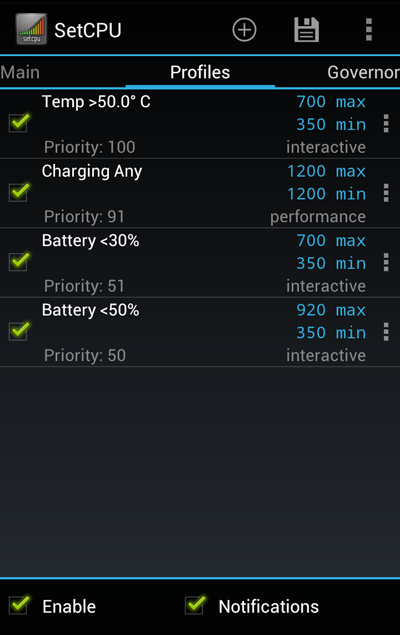
* The profiles menu and service have been recoded from scratch, and now
allows the creation of unlimited profiles with custom priorities. The
"priority" meter for each profile determines the order in which it is
evaluated - if two profiles apply to a given situation, the profile
with the higher priority will be set. If you had profiles set before
2.0.0, you will need to set them again.
* Profiles have been further optimized for performance footprint as a
result of the re-structure.
* Added "Charging AC/Full" and "Charging USB/Full" profile conditions
to distinguish between fast charging and slow charging modes on some
devices (thanks Julian).
* Added a beta "perflock disabler" feature that will enable frequency
changing on stock HTC 2.6.29 kernels. Access the perflock disabler this
by pressing Menu in the main interface. If this gives you an error,
does not work, or crashes your phone, your kernel is not compatible -
pull your battery to reset if necessary. E-mail me with your ROM, phone
model and kernel information in "System Info" (thanks to Richard for a
lot of help with the low-level stuff, and no thanks to HTC for
implementing perflock in such a way . To access the perflock disabler,
press Menu in SetCPU's main interface.
* Code cleanup and more.
* A big thanks to everyone who tested, especially those who gave
feedback on this one, all the people who purchased SetCPU from the
Android Market, as well as all my users.
2.0.0a: * Fixed a permissions error that was causing SetCPU to
autodetect incorrectly and force close on some ROMs.
2.0.0b: * More fixes, sorry guys.
* Fixed an issue with profiles and custom frequency lists.
* Clarified the profiles priorities introduction.
* Fixed a bug with the Advanced menu erroneously reporting values if
the governor was changed after onResume was called, and fixed a crash
that sometimes occurred as a result.
* Fixed a bug where the passive widget acted like the active widget
after frequencies were manually set.
2.0.0c: * Fixed issues with the Advanced menu and Advanced settings not
being applied on boot.
* Fixed an issue in where temperature warnings were not being dismissed
properly.
* SetCPU 2.0.0 no longer force closes on Android 1.5 devices, but the
UI in some menus is flawed. I recommend that you update to a more
recent version of Android if possible.
2.0.1: * Added a few widget backgrounds. Configure
this when adding the widget.
* Added the ability to "swipe" to the next tab.
* Fixed various bugs.
* New documentation is up.
2.0.2: ** End of life for Android 1.5 support.
- Perflock disabler support for HTC-kernel 2.6.32.15.
- New native benchmark button in the system info menu. The results of this benchmark is unaffected by VM optimizations like JIT, so it's ideal for speed comparisons across different devices.
- Added support for tweaking the "min sample time" of the interactive governor, if available.
- Fixed a bug where the scaling governor would not change when the profile switched and SetCPU's main tab was visible.
- Fixed an ANR bug in the "set on boot" function which sometimes caused the Advanced settings to not apply.
- Fixed an issue where SetCPU sometimes did not start on boot when used with Superuser Permissions 2.2.x.
- Fixed a force close issue that occurred when SetCPU could not autodetect frequencies due to permissions errors in the ROM.
2.0.3 - Added a "safe mode" function that prevents SetCPU from running any tasks during boot if a file called "setcpu_safemode" exists in /sdcard or /data/local. This is useful if unstable settings were saved with "set on boot" checked.
- Reverted changes originally made to compensate for the old Superuser Permissions startup bug. SetCPU should perform startup tasks expediently again.
- Perflock disabler has been tested to be stable on supported kernels. The perflock disabler menu now has a "set on boot" function. Always disable this when switching to a new kernel or ROM. If you forget to do this and you get crashes, you can use the safe mode function above to disable it.
- Fixed crash issues with read-only (no root) mode, and disabled perflock disabler in read-only mode.
- Fixed a crash related to the widget service.
2.0.4 - Added the ability to back up and restore profiles to and from the SD card by pressing the Menu button in the Profiles tab. A "send" option is also available to send the profiles file as an attachment. Save the .setcpudb file to the SD card to restore it.
- Added perflock disabler support for HTC kernels 2.6.32.17 and 2.6.32.21 (T-Mobile G2, myTouch HD, Desire Z, Desire HD). "Set on boot" will not yet work on these devices because they only have temporary root.
- Fixed another crash in the widget.
2.1.0 - Significant UI and user experience revamp, including a new background for the widget, and new notification icons
- Added a quick priority swap button to the profile lists
- Significantly improved the reliability of autodetect on certain kernels
- Numerous bug fixes and crash fixes
2.1.1 - Fixed an issue with profiles backup in CM7.
- Added support for the Motorola Xoom, Atrix 4G, and other Tegra 2 devices.
- Fixed various bugs.
- Tablet optimized UI and more profiles coming soon!
2.1.1a - Fixed the 0 MHz display issue on some devices.
2.1.2 - Minor update. Adds a time of day based profile which will trigger based on a set time range. Fixes a bug with profiles and certain dual core kernels. Switched to the Android 3.0 SDK. Note that on some Tegra 2 kernels, scaling is completely controlled by the driver.
2.1.2.1 - Fixed a crash that occurred when updating from certain versions of the profiles database.
2.1.3 - Added perflock disabler support for HTC kernel 2.6.35.10 (in beta). Enhanced the Time in State readings in the System Info menu to include percentages. Removed WiFi permission until this feature is added to profiles. Fixed another database crash, and other bugfixes.
2.1.4 - Revamped Info tab UI. In portrait, clicking on an item in the Info tab will launch information on that category, and pressing back will return to the menu. In landscape, the content and the menu are split into two columns. Benchmarks are at the bottom. Added a chart for Time In State readings. Widget reliability fixes and optimizations. The main screen now indicates which kind of profile is currently active with an icon. Miscellaneous bugfixes and optimized performance.
2.2.0 - Added an "In Call" profile. Improved the Set on Boot safemode function by including a flashable zip that toggles SetCPU's safemode. Press menu on the main tab for more details. Added autodetect support for all Tegra 2 fakeShmoo kernels (ie. G2x). Added a "Voltage" tab for undervolting the CPU on fakeShmoo kernels, some custom Galaxy S kernels, and some Nexus S kernels. This is a full-fledged interface for undervolting these devices, and includes backing up and restoring and a Set on Boot checkbox. Improved the way SetCPU initially requests root. Various miscellaneous bugfixes.
SetCPU and content is (c) 2009-2011 Michael Huang/coolbho3000.